
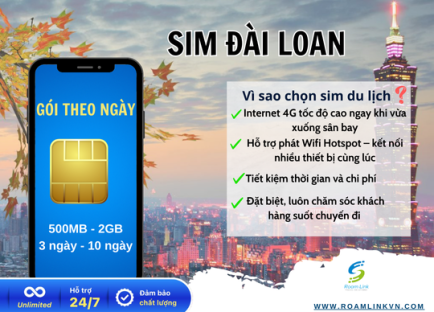
Sim Taiwan - Daily package

Sim Taiwan - Daily package

* According to the latest laws and regulations in Taiwan, customers must complete the real name registration of the SIM card before using it in Taiwan.

Product Information

Carrier: China Mobile

Call & SMS Support: Data-only SIM – does not support voice calls or text messages.

Speed After 4G Quota: Switch to slow speed of 384Kbps, can text on the application.

SIM Activation Window: Please check the sticker on the packaging for activation details upon receiving the SIM.
Important notes:

  • Keep the SIM card frame: It often contains important information like the phone number, APN (if needed), or contact information for support.

  • Check your phone: Make sure your phone is unlocked so you can use SIM cards from other carriers.

  • eSIM: If you buy an eSIM, you will receive a QR code. You need to connect to Wi-Fi to scan this code and install the eSIM on your phone.

During Use:


  • Do not activate the SIM in Vietnam: Unless you need to use it immediately, the SIM will automatically activate and start counting the usage period.

  • Activate and use abroad: Insert the SIM into your phone and turn on data roaming when you arrive at your destination.

  • Use free Wi-Fi when possible: This helps to save your data allowance.

  • Carefully check your plan details: This includes data allowance, usage duration, and coverage area.

  • Be mindful of the expiration date: Avoid a situation where your SIM expires in the middle of your trip.

  • Contact the provider if you encounter issues: For timely support.

Here are the detailed steps to activate and use the SIM effectively:


1. SIM Activation


You should insert the SIM into your phone after arriving in the destination country. This helps you avoid wasting usage time, as the SIM's validity period usually starts from the moment it is activated.

  • Step 1: Insert the SIM

    • Turn off your phone.

    • Insert the travel SIM into the SIM slot. If your phone has two slots, you should use SIM slot 1 and can remove your main SIM to avoid confusion.

    • Restart your phone.

  • Step 2: Wait for the SIM to connect to the network

    • Wait about 1-2 minutes for your phone to recognize the network. When your phone displays the name of the local carrier, the SIM has been successfully activated.


2. Phone Settings


To use the internet, you need to turn on mobile data and data roaming.

  • For iPhones:

    • Go to Settings > Cellular.

    • Turn on Cellular Data.

    • Select Cellular Data Options > turn on Data Roaming.

  • For Android phones:

    • Go to Settings > Connections (or SIM cards & mobile networks).

    • Turn on Mobile Data.

    • Select Mobile networks > turn on Data Roaming.

    • If your device doesn't connect automatically, you may need to manually set up the APN (Access Point Name) according to the instructions on the SIM packaging.

Product Similar

Unlimited Connections – Barrier-Free Journeys

keywords:Sim Nhật Bản Sim Hàn Quốc Sim châu âu Sim Trung Quốc